How it came together Draft
A Sunday brunch request
Cookbo started as a request from my partner over Sunday brunch: I just want to have all of my recipes in one place.
Just the recipe
My own gripe with online recipes is everything around them: the backstory, the ads, the pop-ups. I just want the recipe. So the first big feature was the import share extension. Tap Share on a recipe page, tap Cookbo, and only the ingredients, steps, times and a photo come through.
assets/media/cookbo/process-1.webpYour recipes, your files
I’m a fan of Obsidian and its flat-file approach: your data is your data. Cookbo keeps every recipe as a human-readable Markdown file in a folder you can open yourself, and iCloud syncs it across your Apple devices, so there’s no account to make. It runs on iPhone, iPad and Mac, so typing a recipe in can happen at a keyboard and cooking from it can happen on a phone.
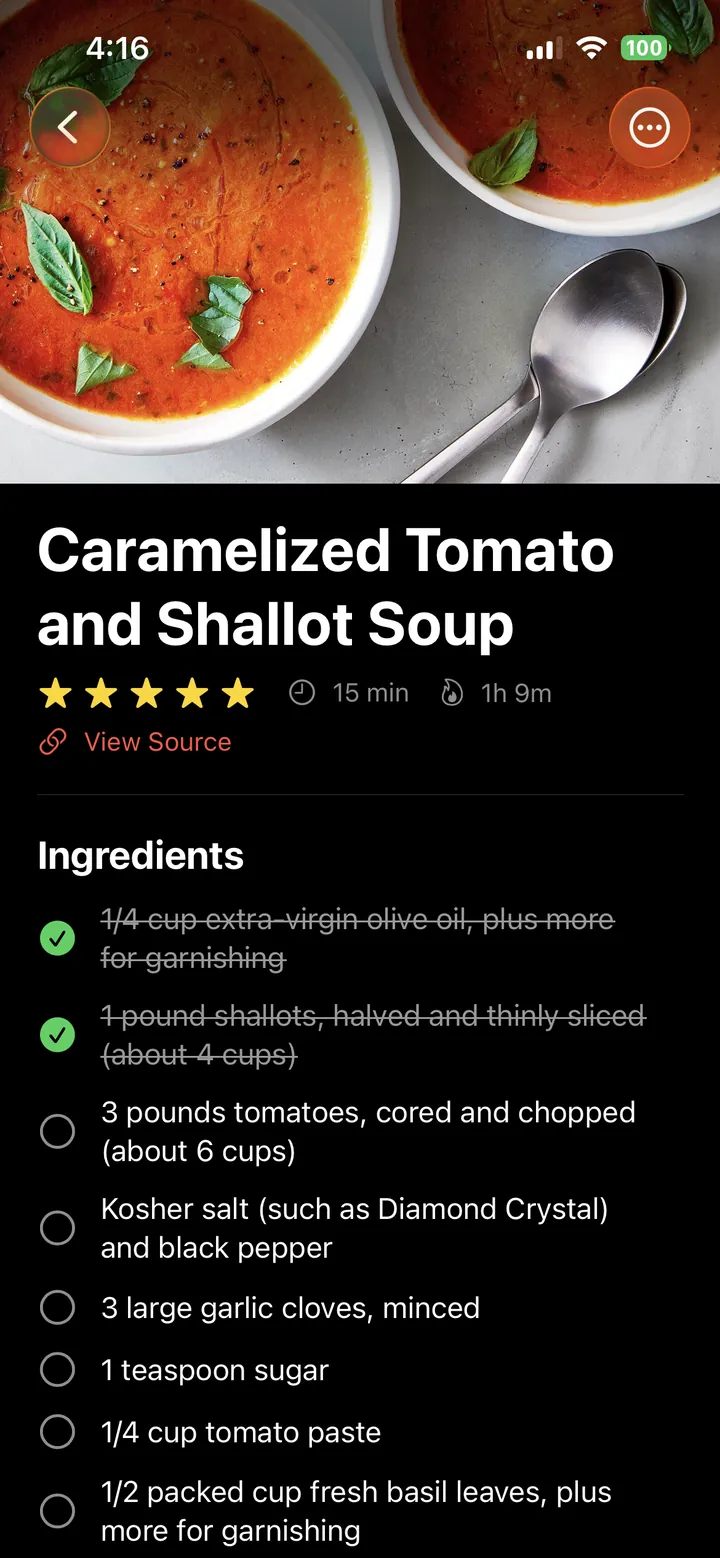
In the kitchen I also want to check off what I already have and the steps I’ve already done. Those checkmarks are saved in the recipe file too.
assets/media/cookbo/process-2.webpAdding and taking away
Cookbo has grown in bursts, and not everything stayed. Sharing a recipe by tapping two phones together lasted one day; the commit that removed it says it was too fancy and not needed.
assets/media/cookbo/process-3.webpassets/media/cookbo/process-4.webpSmart collections
As recipes piled up, I added smart collections: Recently Added, This Week for meal planners, and Favorites, with the recipe you looked at last pinned to the top.
assets/media/cookbo/process-5.webpCook mode
Last came cook mode, which has my favorite details in the app. First, an overview: a visual timeline of the whole cook, so you know what you’re getting into. Next, prep: what to cut, and what to measure if you really want mise en place. Then you cook, step by step. Each step highlights the ingredients it uses, and every cooking time is tappable to start a timer.
assets/media/cookbo/process-6.webpIf your phone supports Apple Intelligence, cook mode shortens long steps so they can be read from across the kitchen, without losing any of the information you need.
assets/media/cookbo/process-7.webpWorking with AI
Cook mode was designed on a canvas with Claude before any of it was built: getting in by turning the phone sideways, landscape and portrait, dark mode, and two ways to run timers side by side. The system timers won, with one idea kept from the other: a small icon that lists every running timer. [Add what surprised you, and a prompt.]
The name
When I was making the icon, Apple’s Image Playground drew a book with “Cookbo” written on it, and it stuck. I also like that you can’t spell cookbook without cookbo.
The website
assets/media/cookbo/process-8.mp4